Robot Framework Fundamentals
Explore Test automation and hands-On labs (70%).
Explore the course learning plan Training & Capability DevelopmentLearn. Practise. Apply.⌕
Automate web, API and database verification in a unified suite.
Build a reusable Robot Framework suite using Python. Combine keyword-driven web automation with API and database checks, then run the suite in parallel and in a CI pipeline.
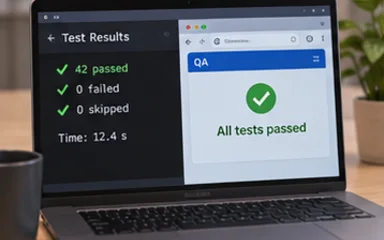
Explore Test automation and hands-On labs (70%).
Explore the course learning planExplore Lab 5: Data-Driven test suite, scalar, List, Dictionary, and Lab 6: Python custom keyword library.
Explore the course learning planExplore Automation framework design patterns, end-to-End automation framework, and CI pipeline execution.
Explore the course learning planExplore Test automation and hands-On labs (70%). They then test Suite vs Test Case. The section also examines Lab 1: first robot test, Lab 2: Keyword-driven test case, and Theory (30%). Connect the foundational ideas to the examples in the section, distinguishing the responsibility of each component before considering how they work together in a system.
Explore Lab 3: automate login page, Lab 4: End-to-End Web flow automation, and Automating login & form submission. The discussion covers ID, Name, XPath, CSS, Synchronization & waits, and Handling web elements. The section also examines Handling dropdowns, alerts, frames, Mouse & keyboard actions, and Screenshot capturing on failure. The discussion covers SeleniumLibrary overview.
Explore Lab 5: Data-Driven test suite, scalar, List, Dictionary, and Lab 6: Python custom keyword library. The discussion covers Custom Python libraries for robot framework, IF / else, and tags, test setup & teardown. The section also examines Writing reusable resource files, creating Python keyword libraries, and Debugging robot tests. The discussion covers Variable files.
Explore Lab 7: REST API Automation, REST API Testing concepts, and Lab 8: DB Validation + API Test. The discussion covers Parallel execution using Pabot, Lab 9: parallel test execution, and Database validation using SQL queries. Follow the data from its source through the processing steps to the resulting output, checking how transformations affect the meaning of the information.
Explore Automation framework design patterns, end-to-End automation framework, and CI pipeline execution. The discussion covers Outcome for Participants. Participants also complete Robot Framework Automation Project. The discussion covers Robot framework using Python and Capstone project. Follow the relationship between configuration and execution, identifying which component runs the workload and which dependencies must be available for it to operate.
Need the detailed syllabus? Request the course outline.
Check the course fit for your role and experience. Confirm the prerequisites, delivery scope and preparation before booking.
Check the full outline for this course’s tools and technologies. Confirm software versions, licences, accounts, equipment, access and installation requirements before joining.
Ask which preparation materials, follow-up resources or trainer support are included in your selected delivery.
Confirm the certificate, completion requirements and any assessed activities for your selected batch. A practical project does not by itself establish an assessed skills award.
Understand certificates and assessments →Confirm dates, venue, fees, available seats and delivery arrangements with Timmins before booking.
Ask Timmins about upcoming dates for this course.
View the public training calendar →Ask about another date or team delivery. Share your preferred timeframe, city or delivery mode and participant numbers. Timmins will discuss the options; dates, trainer availability, delivery and fees must be confirmed separately. Sending an enquiry does not reserve a place or confirm a class.
Your selected course is included in the draft. Review it and press Send in your messaging app.
Manual and automation testers, QA leads, SDETs, Python developers and DevOps engineers who support testing pipelines.
Basic testing, Python and HTML or web application concepts. Previous Selenium or Playwright experience is optional. Check the outline for the Python, browser and Git lab setup.
Check the full outline for this course’s tools and technologies. Confirm software versions, licences, accounts, equipment, access and installation requirements before joining.
The learning plan describes the course topics and activities in the published summary. Ask Timmins to confirm the exercises, trainer feedback and any assessed activities for your selected delivery. Completion and assessed credentials have different requirements.
AI-assisted activities are not listed in this course summary. Ask Timmins to confirm the scope of your selected delivery rather than assuming AI tools are included.
Discuss an in-house programme with Timmins. Share the team’s roles, starting knowledge and workplace challenges. Agree any adaptations, assessment and follow-up support in the proposal.