Who should enquire?
IT professionals, support teams and administrators looking at Python for recurring workplace tasks.
Share your role, current Python experience and the systems you work with so Timmins can confirm whether this course is suitable.
 Training & Capability DevelopmentLearn. Practise. Apply.⌕
Explore Python for the IT tasks you repeat at work.
A three-day course for IT professionals interested in making routine work more repeatable. Tell Timmins what you need to automate and request the detailed syllabus before booking.
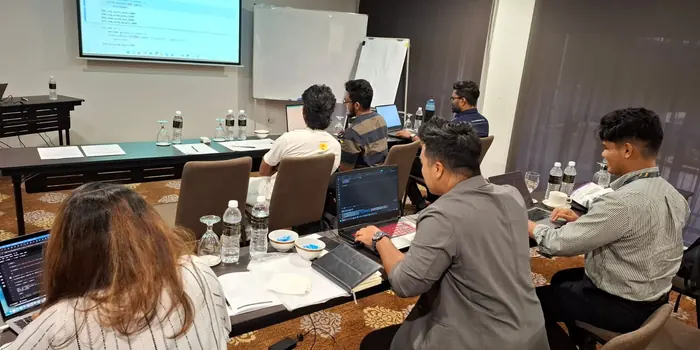
IT professionals, support teams and administrators looking at Python for recurring workplace tasks.
Share your role, current Python experience and the systems you work with so Timmins can confirm whether this course is suitable.
Start with something your team repeats: handling files, preparing reports or carrying out routine checks. Describe the current steps, where time is spent and what a useful result would look like.
Timmins will confirm which examples fit the course scope and your starting knowledge.
Request the detailed syllabus, learning outcomes, practical exercises and prerequisites from Timmins. Confirm the Python version, software setup, equipment and access requirements for your selected class before attending.
The detailed outline and trainer assignment are awaiting confirmation. No specific modules, certificate or assessment arrangements are implied by this overview.
Request the Course OutlineOptional 2-minute readiness check. Choose the answer that best describes you; this is guidance, not a test you must pass to enquire or book.
The detailed outline and prerequisites are awaiting confirmation. These are discussion prompts, not confirmed entry requirements. Ask Timmins to review your starting point.
You do not need to know every topic taught in the course before attending. Discuss your experience with Timmins. No admission decision or booking is made by this check.
Duration: 3 days. No public class dates are currently published for this course. Enquiring does not reserve a seat or confirm a booking.
HRD Corp registration and claimability have not been verified for this course. Ask Timmins for the applicable documentation.
View all automation classesDiscuss your experience and automation goals before choosing this programme.
Tell Timmins your preferred dates, location and participant numbers. Availability and delivery arrangements must be agreed separately.
For teams considering Python Automation for IT Professionals training in Malaysia, use the published learning outcomes and prerequisites on this page to check the fit before requesting a quotation.
IT operations and support teams can describe recurring IT tasks and request the detailed syllabus before choosing the programme. This is an enquiry example, not a promise to customise the course or solve a production issue.
The existing course page lists: Explore Python for the IT tasks you repeat at work.
Request the detailed prerequisites and preparation requirements from Timmins before booking.
Describe your needs and prepare a message for Timmins. Nothing is sent or saved on this website. Review the draft and press Send in your email app or WhatsApp.