Microservices and Node.js foundations
Review why a team may divide an application into separate services and what that changes about development.
Explore the course learning plan Training & Capability DevelopmentLearn. Practise. Apply.⌕
Develop and deploy microservices using NodeJS with RESTful APIs.
This course focuses on developing microservices using NodeJS and React, covering key principles, architecture, and practical development techniques.
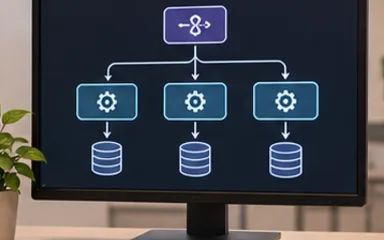
Review why a team may divide an application into separate services and what that changes about development.
Explore the course learning planConnect a React interface to the backend services and consider how to show the resulting data to a user.
Explore the course learning planReview how microservices are packaged, deployed and scaled, and where a CI/CD pipeline supports that work.
Explore the course learning planReview why a team may divide an application into separate services and what that changes about development. Begin building a service with Node.js and examine the purpose of its API. The section establishes a service boundary and a communication model for the rest of the work. Connect the foundational ideas to the examples in the section, distinguishing the responsibility of each component before considering how they work together in a system.
Connect a React interface to the backend services and consider how to show the resulting data to a user. Examine ways of organising calls between services and what changes when components are deployed independently. Relate the front-end user flow to the services responsible for it. Relate the component structure and interactions to the task a user needs to complete, tracing how input and state affect what the application displays.
Explore design choices that help a distributed application cope with service failures and changing responsibilities. Consider how communication, discovery and data ownership affect the design. Review how a team can keep service behaviour understandable while the individual components evolve. Relate the implementation to its place in the application, following the flow of data and the dependencies between components when explaining a design choice.
Review how microservices are packaged, deployed and scaled, and where a CI/CD pipeline supports that work. Examine what a team needs to monitor after deployment and how changes are tested before release. Bring these concerns together in the context of the Node.js and React application. Follow the relationship between configuration and execution, identifying which component runs the workload and which dependencies must be available for it to operate.
Need the detailed syllabus? Request the course outline.
Check the course fit for your role and experience. Confirm the prerequisites, delivery scope and preparation before booking.
Check the full outline for this course’s tools and technologies. Confirm software versions, licences, accounts, equipment, access and installation requirements before joining.
Ask which preparation materials, follow-up resources or trainer support are included in your selected delivery.
Confirm the certificate, completion requirements and any assessed activities for your selected batch. A practical project does not by itself establish an assessed skills award.
Understand certificates and assessments →Confirm dates, venue, fees, available seats and delivery arrangements with Timmins before booking.
Ask Timmins about upcoming dates for this course.
View the public training calendar →Ask about another date or team delivery. Share your preferred timeframe, city or delivery mode and participant numbers. Timmins will discuss the options; dates, trainer availability, delivery and fees must be confirmed separately. Sending an enquiry does not reserve a place or confirm a class.
Your selected course is included in the draft. Review it and press Send in your messaging app.
Full-stack developers, Backend developers working with NodeJS, and Frontend developers working with React.
Basic knowledge of JavaScript, NodeJS, and React. Familiarity with RESTful APIs and databases. Understanding of basic web application development.
Check the full outline for this course’s tools and technologies. Confirm software versions, licences, accounts, equipment, access and installation requirements before joining.
The learning plan describes the course topics and activities in the published summary. Ask Timmins to confirm the exercises, trainer feedback and any assessed activities for your selected delivery. Completion and assessed credentials have different requirements.
AI-assisted activities are not listed in this course summary. Ask Timmins to confirm the scope of your selected delivery rather than assuming AI tools are included.
Discuss an in-house programme with Timmins. Share the team’s roles, starting knowledge and workplace challenges. Agree any adaptations, assessment and follow-up support in the proposal.