Linux user-space architecture and system calls
Examine how user-space programs use kernel interfaces and observe what the system does on their behalf.
See the detailed course outline Training & Capability DevelopmentLearn. Practise. Apply.⌕
Use system calls and explain the user-space architecture.
Understand the boundary between Linux user space and the kernel. Work with processes, threads, memory and communication between programs.
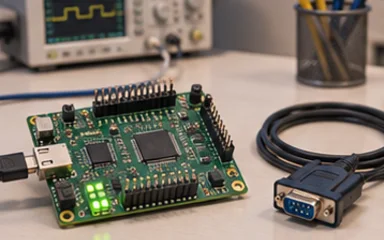
Examine how user-space programs use kernel interfaces and observe what the system does on their behalf.
See the detailed course outlineManage processes and threads and review how Linux allocates and coordinates the resources they share.
See the detailed course outlineChoose ways to exchange data between processes and use diagnostic tools to investigate user-space behaviour.
See the detailed course outlineReview the boundary between user space and kernel space and the development tools used for Linux applications. Write programs using common system calls and examine context switching and memory separation. The outlined labs investigate calls with strace, compare tracing approaches and introduce GDB for user space faults. Participants connect application code with operating system services and the evidence available when a program behaves unexpectedly.
Create and manage processes with fork and exec, examine scheduling and states, and introduce signals. Continue into POSIX threads and synchronisation through mutexes and semaphores. Review virtual memory, allocation and mapping through the APIs named in the source. Practical exercises connect process and thread behaviour with memory use, giving participants a basis for investigating resource sharing and allocation problems in Linux applications.
Explore pipes, message queues, shared memory, semaphores and sockets for process communication, then implement signal handlers. Use perf and Valgrind to investigate application behaviour and consider optimisation choices. The final project combines system calls, process or thread management and IPC in one user space application. The closing review relates the completed work to the diagnostics and coordination mechanisms introduced during the earlier days.
Need the detailed syllabus? Request the course outline.
Check prerequisites and confirm the course fit with Timmins for your role, experience and selected delivery.
Check the course outline for the software, development environment and any target hardware. Confirm installation steps, versions, equipment access and lab arrangements before joining.
Ask which preparation materials, follow-up resources or trainer support are included in your selected delivery.
Confirm the certificate, completion requirements and any assessed activities for your selected batch. A practical project does not by itself establish an assessed skills award.
Understand certificates and assessments →Confirm dates, venue, fees, available seats and delivery arrangements with Timmins before booking.
Ask Timmins about upcoming dates for this course.
View the public training calendar →Ask about another date or team delivery. Share your preferred timeframe, city or delivery mode and participant numbers. Timmins will discuss the options; dates, trainer availability, delivery and fees must be confirmed separately. Sending an enquiry does not reserve a place or confirm a class.
Your selected course is included in the draft. Review it and press Send in your messaging app.
Software developers and Linux practitioners building deeper system programming skills.
Basic knowledge of Linux and its commands. Familiarity with C programming. Understanding of basic operating system concepts.
Check the outline and confirm the software environment, hardware, equipment access and setup requirements for your selected delivery. Do not assume all courses use the same board or lab environment.
The course topics describe the technical scope. Ask Timmins to confirm the labs, demonstrations and any assessed activities for your selected programme. Completion and assessed credentials have different requirements.
Discuss an in-house session with Timmins. Share the team’s roles, systems and intended outcomes so the scope, prerequisites, delivery and any adaptations can be agreed.