Trust and secure boot
Examine the root of trust, chain of trust and protections for boot components.
See the detailed course outline Training & Capability DevelopmentLearn. Practise. Apply.⌕
Explain the root of trust and chain of trust.
Protect an embedded Linux platform from boot through runtime. Review how secure boot, trusted execution and access controls protect key system components.
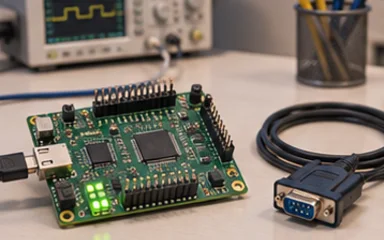
Examine the root of trust, chain of trust and protections for boot components.
See the detailed course outlineReview defensive controls for the kernel and root filesystem and how they support system integrity.
See the detailed course outlineExplore how SELinux and trusted execution environments help protect applications and sensitive operations.
See the detailed course outlineReview attack categories and the concepts of root of trust and chain of trust. Trace the platform boot chain, including low level startup and booting from SD or MMC media. The outlined exercise boots the target using prepared images, providing a concrete reference for later security changes. Participants connect security objectives with the individual stages through which control passes during embedded Linux startup.
Examine secure boot concepts, key management and the hardware and software facilities used to protect startup. Generate platform encryption keys and review U-Boot signing and configuration. Practical work builds and boots configurations using U-Boot and Arm Trusted Firmware at different boot stages. The emphasis is on understanding how keys, firmware and bootloader choices contribute to trust across the startup sequence.
Configure kernel security features and create a FIT kernel image, then explore root filesystem hardening, read only operation and image encryption. The outline also compares full disk and file based encryption approaches, including LUKS and the other named tools. Exercises connect image preparation with booting and data protection, helping participants examine where kernel configuration, filesystem design and encryption serve different security purposes.
Review OP-TEE architecture, trusted applications and deployment before creating and booting a platform with OP-TEE. Continue into SELinux contexts, policies, modes, auditing and troubleshooting. The source includes kernel and user space configuration exercises and discusses service, port and container contexts. Participants connect a trusted execution environment with mandatory access control while examining the responsibilities and limits of each mechanism in an embedded system.
Need the detailed syllabus? Request the course outline.
Check prerequisites and confirm the course fit with Timmins for your role, experience and selected delivery.
Check the course outline for the software, development environment and any target hardware. Confirm installation steps, versions, equipment access and lab arrangements before joining.
Ask which preparation materials, follow-up resources or trainer support are included in your selected delivery.
Confirm the certificate, completion requirements and any assessed activities for your selected batch. A practical project does not by itself establish an assessed skills award.
Understand certificates and assessments →Confirm dates, venue, fees, available seats and delivery arrangements with Timmins before booking.
Ask Timmins about upcoming dates for this course.
View the public training calendar →Ask about another date or team delivery. Share your preferred timeframe, city or delivery mode and participant numbers. Timmins will discuss the options; dates, trainer availability, delivery and fees must be confirmed separately. Sending an enquiry does not reserve a place or confirm a class.
Your selected course is included in the draft. Review it and press Send in your messaging app.
Embedded Linux and platform engineers responsible for device security.
Knowledge of C programming and comfort working in Linux user space.
Check the outline and confirm the software environment, hardware, equipment access and setup requirements for your selected delivery. Do not assume all courses use the same board or lab environment.
The course topics describe the technical scope. Ask Timmins to confirm the labs, demonstrations and any assessed activities for your selected programme. Completion and assessed credentials have different requirements.
Discuss an in-house session with Timmins. Share the team’s roles, systems and intended outcomes so the scope, prerequisites, delivery and any adaptations can be agreed.