Linux command line and filesystem
Navigate files and directories and work with permissions using the Linux command line.
See the detailed course outline Training & Capability DevelopmentLearn. Practise. Apply.⌕
Navigate Linux files, directories and permissions.
Get a practical introduction to the Linux command line, user-space programming and kernel modules. Use it as a starting point for deeper embedded Linux training.
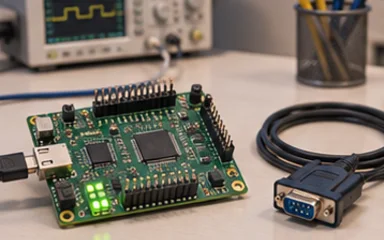
Navigate files and directories and work with permissions using the Linux command line.
See the detailed course outlineSee how programs request kernel services with system calls and examine how Linux runs processes.
See the detailed course outlineBuild a simple kernel module and connect it to the role of device drivers.
See the detailed course outlineBegin with Linux directories, shell commands, permissions, links, mounting and remote connections. Introduce system calls, examine their execution flow and use tracing to connect an application request with operating system behaviour. The final block explains the role of drivers and loadable kernel modules, including writing and building a simple module. Together these activities provide an introductory view of user space and kernel space in Linux.
Need the detailed syllabus? Request the course outline.
Check prerequisites and confirm the course fit with Timmins for your role, experience and selected delivery.
Knowing C does not mean you must already know Linux. Use these prompts to identify what to confirm before joining; this is a self-review, not a scored assessment.
Tick what you are comfortable with. Unticked items are topics to discuss with Timmins, not an automatic rejection.
If your experience is mainly C++, ask whether your C knowledge matches the course prerequisite.
Confirm the current software and installation requirements before making changes to your computer.
These are course topics, not additional entry requirements:
Tell Timmins which C or setup prompt you are unsure about and whether your goal is Linux applications, device drivers, firmware or board support. You do not need to complete a quiz to ask for advice.
These ticks are for your own review; they are not sent or saved. Your selected course is included in the enquiry draft; add the gaps or questions you want to discuss.
Check the course outline for the software, development environment and any target hardware. Confirm installation steps, versions, equipment access and lab arrangements before joining.
Ask which preparation materials, follow-up resources or trainer support are included in your selected delivery.
Confirm the certificate, completion requirements and any assessed activities for your selected batch. A practical project does not by itself establish an assessed skills award.
Understand certificates and assessments →Confirm dates, venue, fees, available seats and delivery arrangements with Timmins before booking.
Ask Timmins about upcoming dates for this course.
View the public training calendar →Ask about another date or team delivery. Share your preferred timeframe, city or delivery mode and participant numbers. Timmins will discuss the options; dates, trainer availability, delivery and fees must be confirmed separately. Sending an enquiry does not reserve a place or confirm a class.
Your selected course is included in the draft. Review it and press Send in your messaging app.
Early-career firmware and embedded software engineers moving into Linux.
Comfort with C programming.
Check the outline and confirm the software environment, hardware, equipment access and setup requirements for your selected delivery. Do not assume all courses use the same board or lab environment.
The course topics describe the technical scope. Ask Timmins to confirm the labs, demonstrations and any assessed activities for your selected programme. Completion and assessed credentials have different requirements.
Discuss an in-house session with Timmins. Share the team’s roles, systems and intended outcomes so the scope, prerequisites, delivery and any adaptations can be agreed.