Boot diagnostics
Trace failures across the bootloader, kernel and root filesystem using startup messages and logs.
See the detailed course outline Training & Capability DevelopmentLearn. Practise. Apply.⌕
Trace boot failures across the bootloader, kernel and root filesystem.
Diagnose embedded Linux boot failures, hangs and performance bottlenecks. Use logs and profiling tools to narrow down the cause.
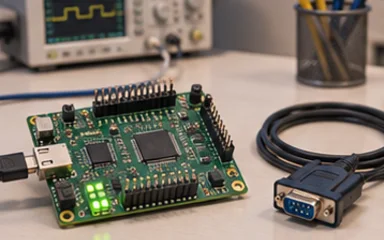
Trace failures across the bootloader, kernel and root filesystem using startup messages and logs.
See the detailed course outlineExamine CPU, memory and I/O behaviour and use perf and ftrace to narrow down bottlenecks.
See the detailed course outlineUse system evidence and a structured diagnostic process to investigate crashes, hangs and hardware interface issues.
See the detailed course outlineEstablish a structured debugging approach and trace startup from bootloader through kernel to root filesystem. Review U-Boot, kernel initialisation and the evidence associated with common failure points. The specified labs investigate a system that fails to boot, a kernel panic and a peripheral missing because of Device Tree configuration. Participants practise locating the failing layer before selecting the next diagnostic step.
Review CPU, memory and I/O behaviour using tools such as top, htop and vmstat. Introduce perf and ftrace to investigate bottlenecks and connect measurements with process behaviour and system tuning. The outlined labs cover high CPU usage, memory leaks and boot time optimisation. Participants use evidence from monitoring and profiling to distinguish symptoms from the subsystem or process that requires further investigation.
Investigate system freezes, crashes under load and hardware communication problems through logs, crash dump concepts and structured diagnostic checks. The outlined activities include system hang troubleshooting and analysis of intermittent failures under load. Case walkthroughs connect observations with a repeatable root cause process. The day emphasises collecting useful evidence and narrowing the investigation across hardware and software interfaces before proposing a correction.
Need the detailed syllabus? Request the course outline.
Check prerequisites and confirm the course fit with Timmins for your role, experience and selected delivery.
Check the course outline for the software, development environment and any target hardware. Confirm installation steps, versions, equipment access and lab arrangements before joining.
Ask which preparation materials, follow-up resources or trainer support are included in your selected delivery.
Confirm the certificate, completion requirements and any assessed activities for your selected batch. A practical project does not by itself establish an assessed skills award.
Understand certificates and assessments →Confirm dates, venue, fees, available seats and delivery arrangements with Timmins before booking.
Ask Timmins about upcoming dates for this course.
View the public training calendar →Ask about another date or team delivery. Share your preferred timeframe, city or delivery mode and participant numbers. Timmins will discuss the options; dates, trainer availability, delivery and fees must be confirmed separately. Sending an enquiry does not reserve a place or confirm a class.
Your selected course is included in the draft. Review it and press Send in your messaging app.
Embedded Linux, firmware and BSP engineers investigating failures or performance issues.
Comfort working with embedded Linux and device drivers; familiarity with the boot process and Linux kernel. Command-line experience. Embedded Linux System Internals or equivalent knowledge is recommended.
Check the outline and confirm the software environment, hardware, equipment access and setup requirements for your selected delivery. Do not assume all courses use the same board or lab environment.
The course topics describe the technical scope. Ask Timmins to confirm the labs, demonstrations and any assessed activities for your selected programme. Completion and assessed credentials have different requirements.
Discuss an in-house session with Timmins. Share the team’s roles, systems and intended outcomes so the scope, prerequisites, delivery and any adaptations can be agreed.
For teams considering Embedded Linux Debugging training in Malaysia, use the published learning outcomes and prerequisites on this page to check the fit before requesting a quotation.
Firmware and validation teams can describe a reproducible embedded Linux fault or performance bottleneck for a course-fit discussion. This is an enquiry example, not a promise to customise the course or solve a production issue.
The existing course page lists: Trace boot failures across the bootloader, kernel and root filesystem. Investigate CPU, memory and I/O bottlenecks.
Comfort working with embedded Linux and device drivers; familiarity with the boot process and Linux kernel. Command-line experience. Embedded Linux System Internals or equivalent knowledge is recommended.
Describe your needs and prepare a message for Timmins. Nothing is sent or saved on this website. Review the draft and press Send in your email app or WhatsApp.