Buildroot and repeatable images
Use Buildroot to configure and assemble a deployable embedded Linux image.
See the detailed course outline Training & Capability DevelopmentLearn. Practise. Apply.⌕
Use Buildroot to assemble an embedded Linux image.
Build and customise Linux images from source using Buildroot and the Yocto Project. Follow the configurations and build inputs that produce a deployable image.
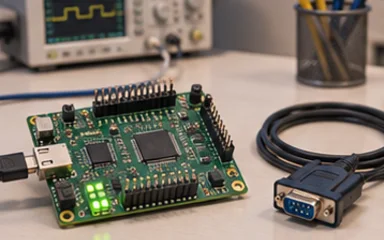
Use Buildroot to configure and assemble a deployable embedded Linux image.
See the detailed course outlineExplore how BitBake, recipes and layers work together to build and customise a Yocto image.
See the detailed course outlineManage changes to U-Boot, the kernel and the root filesystem through the build configuration.
See the detailed course outlineReview embedded Linux components and why build systems are used to integrate them. Configure Buildroot for a target board, then build and deploy U-Boot, the kernel and root filesystem. The outlined exercises add SSH support, arrange application startup and explore bootloader and kernel configuration or patches. Participants connect component choices with a working system image and the automation offered by a build system.
Introduce Yocto, Poky, OpenEmbedded and BitBake before setting up a small BitBake environment. Work with recipes, classes, layers, tasks, variables and dependencies, including recipe extensions through bbappend files. Exercises create a layer, class and simple application recipe. Build logs, variable inspection and dependency graphs support the investigation of failures, helping participants understand how metadata controls the resulting build rather than treating it as an opaque command.
Set up the host environment and source packages for a basic Yocto console image, then build and test it on the target platform. Review toolchains and the purpose of image and BSP layers. Examine existing board support code before creating a metadata layer and adding a custom BSP layer with a machine configuration. The work connects recipe knowledge with a complete image for selected hardware.
Use Yocto recipes to configure, patch and build U-Boot and the Linux kernel. Work with kernel configuration fragments and recipe extensions, then apply changes and test the resulting images. Continue into root filesystem customisation, package selection, custom applications and init managers. The day brings together metadata, source changes and image contents so participants can relate a product requirement to the components that must be rebuilt.
Need the detailed syllabus? Request the course outline.
Check prerequisites and confirm the course fit with Timmins for your role, experience and selected delivery.
Check the course outline for the software, development environment and any target hardware. Confirm installation steps, versions, equipment access and lab arrangements before joining.
Ask which preparation materials, follow-up resources or trainer support are included in your selected delivery.
Confirm the certificate, completion requirements and any assessed activities for your selected batch. A practical project does not by itself establish an assessed skills award.
Understand certificates and assessments →Confirm dates, venue, fees, available seats and delivery arrangements with Timmins before booking.
Ask Timmins about upcoming dates for this course.
View the public training calendar →Ask about another date or team delivery. Share your preferred timeframe, city or delivery mode and participant numbers. Timmins will discuss the options; dates, trainer availability, delivery and fees must be confirmed separately. Sending an enquiry does not reserve a place or confirm a class.
Your selected course is included in the draft. Review it and press Send in your messaging app.
Embedded Linux, firmware and BSP engineers moving from prebuilt images to repeatable system builds.
Embedded Linux System – Build, Boot & Recover or equivalent knowledge of boot flow, bootloader configuration, kernel builds and the root filesystem.
Check the outline and confirm the software environment, hardware, equipment access and setup requirements for your selected delivery. Do not assume all courses use the same board or lab environment.
The course topics describe the technical scope. Ask Timmins to confirm the labs, demonstrations and any assessed activities for your selected programme. Completion and assessed credentials have different requirements.
Discuss an in-house session with Timmins. Share the team’s roles, systems and intended outcomes so the scope, prerequisites, delivery and any adaptations can be agreed.