Prepare business data
Translate a management question into a set of KPIs and identify the source records needed to calculate them.
Explore the course learning plan Training & Capability DevelopmentLearn. Practise. Apply.⌕
Build a model with fact tables, dimensions and relationships.
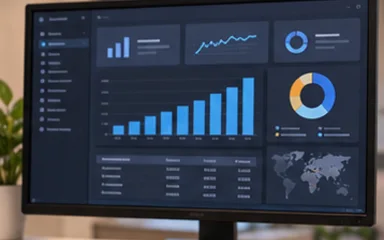
Build an operational performance dashboard in Power BI and use it to answer business questions about targets, trends and exceptions. The workflow can be adapted to finance, sales, manufacturing, HR and procurement.
Translate a management question into a set of KPIs and identify the source records needed to calculate them.
Explore the course learning planBuild a model using facts, dimensions and relationships, then check how filters affect the results.
Explore the course learning planValidate dashboard totals and DAX calculations against source data.
Explore the course learning planTranslate a management question into a set of KPIs and identify the source records needed to calculate them. Participants connect to business data and use Power Query to clean and combine it. The aim is to establish a repeatable preparation workflow that supports the decisions the dashboard will inform. Follow the data from its source through the processing steps to the resulting output, checking how transformations affect the meaning of the information.
Build a model using facts, dimensions and relationships, then check how filters affect the results. Write DAX measures for actuals, targets and variances, and select visuals that make those comparisons clear. Add slicers, drill-down and drill-through so someone reviewing the dashboard can investigate exceptions. Follow the data from its source through the processing steps to the resulting output, checking how transformations affect the meaning of the information.
Validate dashboard totals and DAX calculations against source data. Use the report to explain where performance differed from expectations and which trends deserve attention. Publish the dashboard to Power BI Service and review the refresh, access and governance decisions needed to make it usable by colleagues. Connect the reporting steps to the business question, checking how the source data, calculations and chosen display affect the interpretation of the result.
Need the detailed syllabus? Request the course outline.
Check the course fit for your role and experience. Confirm the prerequisites, delivery scope and preparation before booking.
Check the full outline for this course’s tools and technologies. Confirm software versions, licences, accounts, equipment, access and installation requirements before joining.
Ask which preparation materials, follow-up resources or trainer support are included in your selected delivery.
Confirm the certificate, completion requirements and any assessed activities for your selected batch. A practical project does not by itself establish an assessed skills award.
Understand certificates and assessments →Confirm dates, venue, fees, available seats and delivery arrangements with Timmins before booking.
Ask Timmins about upcoming dates for this course.
View the public training calendar →Ask about another date or team delivery. Share your preferred timeframe, city or delivery mode and participant numbers. Timmins will discuss the options; dates, trainer availability, delivery and fees must be confirmed separately. Sending an enquiry does not reserve a place or confirm a class.
Your selected course is included in the draft. Review it and press Send in your messaging app.
Analysts, engineers, managers and other professionals responsible for department reporting and KPI monitoring.
Working knowledge of Excel tables, worksheets and basic formulas, plus familiarity with business reports or KPIs. A Windows laptop with Power BI Desktop and access to Power BI Service for publishing practice. Prior Power BI experience is optional.
Check the full outline for this course’s tools and technologies. Confirm software versions, licences, accounts, equipment, access and installation requirements before joining.
The learning plan describes the course topics and activities in the published summary. Ask Timmins to confirm the exercises, trainer feedback and any assessed activities for your selected delivery. Completion and assessed credentials have different requirements.
AI-assisted activities are not listed in this course summary. Ask Timmins to confirm the scope of your selected delivery rather than assuming AI tools are included.
Discuss an in-house programme with Timmins. Share the team’s roles, starting knowledge and workplace challenges. Agree any adaptations, assessment and follow-up support in the proposal.