AI, ML & Supervised Learning
Explore Module 1: AI fundamentals and machine learning basics, the role of AI? | History | Benefits, and AI Workloads | AI vs ML vs DL.
Explore this in the course plan Training & Capability DevelopmentLearn. Practise. Apply.⌕
Build and train machine learning models using real datasets
Participants will start by building supervised machine learning models and understanding core AI principles.
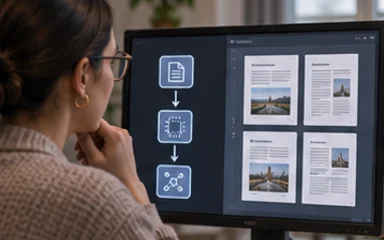
Explore Module 1: AI fundamentals and machine learning basics, the role of AI? | History | Benefits, and AI Workloads | AI vs ML vs DL.
Explore this in the course planExplore Module 5: function calling & OpenAPI, the role of function Calling? | Use cases, and OpenWeather API Overview.
Explore this in the course planExplore Module 11: AI foundry local development, Foundry local, and Onboard foundry local o langchain integration o Web UI demo. The discussion covers Module 12: Evaluation, Tracing & Optimization, Evaluation SDK | prompt evaluator, and Tracing with App insights.
Explore this in the course planExplore Module 1: AI fundamentals and machine learning basics, the role of AI? | History | Benefits, and AI Workloads | AI vs ML vs DL. The discussion covers ML Key Concepts: supervised, unsupervised, reinforcement, Classification vs Regression, and Intro to Jupyter notebook. Participants also install Anaconda o Explore IRIS Dataset o Train Basic ML Model.
Explore quiz: ML Fundamentals, Module 2: Generative AI, Embeddings & RAG Concepts, and the role of Generative AI. The discussion covers Prompt engineering fundamentals and Azure OpenAI: concepts & setup. Participants also deploy Azure OpenAI Resource o Chat with Deployed Model o Use ChatCompletions API. Connect the prompting exercises to the deployed resource and compare interacting through chat with calling the model from an application.
Explore Module 3: Azure OpenAI & AI foundry setup, recap: Azure OpenAI setup, and Azure AI foundry overview. The discussion covers UI & SDK updates. Participants also deploy AI Foundry o Connect Azure OpenAI to Foundry o Understand Foundry Architecture. Relate the user interface to the SDK and trace how the deployed resources connect within the Foundry environment.
Explore Module 4: AI Agents & SDK Workflows, the role of AI Agents, and Azure AI agents service overview. The discussion covers Foundry SDK vs Assistants API. Participants also build Agent via Foundry UI o Build Agent using SDK o Threads & Grounding via Bing o SDK-based Agent Development. Compare the interface and SDK approaches to agent development and follow how a thread carries context through the interaction.
Explore Module 5: function calling & OpenAPI, the role of function Calling? | Use cases, and OpenWeather API Overview. The discussion covers OpenAPI tools for agent integration and Function calling agent o Azure AI agent with OpenAPI tool. Trace how an external service becomes a callable tool, distinguishing the model’s request from the data returned by the API.
Explore Module 6: RAG architecture & vector search, the role of RAG? Why & How, and Vector embeddings theory. The discussion covers Azure cognitive search for vector indexing. Connect the embedding representation to the retrieval step, following how indexed reference material can supply context for an answer. Distinguish information stored in a search index from knowledge learned during model training.
Explore Module 7: Multi-Tool & code interpreter agents and multi-Tool agents concepts. They then build Code Interpreter Agent o Build Multi-Tool Agent. The section also examines Module 8: Multi-Channel pipelines (MCP) and MCP overview | GitHub copilot & claude o Run GitHub MCP server o create weather MCP server. Relate the agent tools to their intended tasks and compare the MCP examples with the earlier tool integrations.
Explore Azure AI Agent MCP Server, Module 9: semantic kernel SDK & plugins, and Agentic workflows | plugin types o prompt template plugins o native plugins o planner plugin. Compare prompt-based and native plugin responsibilities, then relate the planner to the steps of an agentic workflow. Follow how the server connection and plugin choices extend the functions available to the application.
Explore Architecture for Multi-Agent systems. Participants also build Multi-Agent System. The section also examines Module 10: advanced agent development. Connect the architecture to the agents’ individual responsibilities, following how work passes between components. Compare the multi-agent arrangement with the earlier single-agent and tool examples, and examine what additional coordination is needed when an application delegates a task across agents.
Explore Module 11: AI foundry local development, Foundry local, and Onboard foundry local o langchain integration o Web UI demo. The discussion covers Module 12: Evaluation, Tracing & Optimization, Evaluation SDK | prompt evaluator, and Tracing with App insights. The section also examines Token usage dashboard o evaluate RAG agent o trace & monitor token costs.
Need the detailed syllabus? Request the course outline.
Confirm the course fit for your role and experience. Agree software versions, account access, licences and any data permissions before joining.
Use the tools and platforms specified in this course’s outline. Confirm the versions, account tiers, licences, API or cloud access and any usage costs needed for your selected delivery. Review AI-generated results against the task and evidence; obtain permission before using company or personal data.
Ask which preparation materials, follow-up resources or trainer support are included in your selected delivery.
Confirm the certificate, completion requirements and any assessed activities for your selected batch. A practical project does not by itself establish an assessed skills award.
Understand certificates and assessments →Confirm dates, venue, fees, available seats and delivery arrangements with Timmins before booking.
Ask Timmins about upcoming dates for this course.
View the public training calendar →Ask about another date or team delivery. Share your preferred timeframe, city or delivery mode and participant numbers. Timmins will discuss the options; dates, trainer availability, delivery and fees must be confirmed separately. Sending an enquiry does not reserve a place or confirm a class.
Your selected course is included in the draft. Review it and press Send in your messaging app.
Share your role, experience and intended application with Timmins so we can confirm the fit against this course’s scope and prerequisites.
Basic programming experience (preferably Python) Familiarity with cloud services (Azure preferred) Working Azure subscription with OpenAI and AI Foundry access Access to OpenAI API key Visual Studio Code with Python and Azure extensions Basic understanding of APIs
Check the full course outline for the named tools and platforms. Confirm software versions, account tiers, licences, API access, cloud resources and any usage costs with Timmins before booking. Requirements vary between courses.
Check outputs against the task, source information and relevant technical or business requirements. AI-generated code, analysis and text require human review. Confirm which exercises, trainer feedback and any assessed activities are included in your selected delivery.
Discuss your intended use cases with Timmins before sharing information. Agree the scope and use approved or sanitised examples where needed. Any team adaptation, assessment or follow-up support should be confirmed in the proposal.